
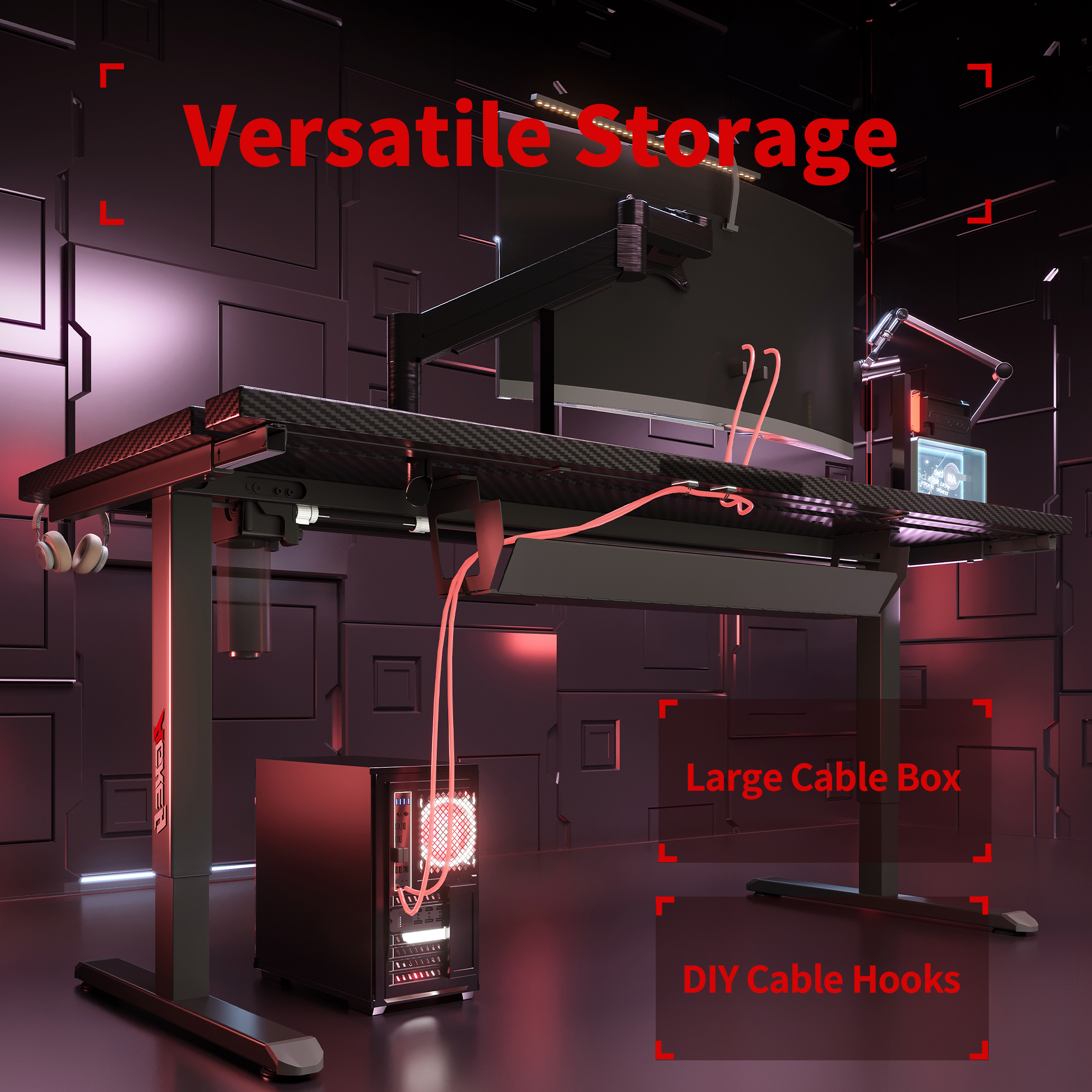
A gaming desk doesn’t feel “premium” because of the texture or the color. It feels premium when your setup stays tidy and predictable—no dangling adapters, no chair wheels yanking plugs, no dust trap under the desk.
If cable management is weak, you’ll spend more time fixing the mess than enjoying your gear.
Here’s a cable-first way to choose, without repeating the same old advice.
1) Start with the ugly stuff: power bricks, adapters, and that one giant extension lead
Most cable chaos isn’t from the monitor cable—it’s from the power board and bulky power bricks (laptop charger, speakers, LED strip, console). If they live on the floor, they collect dust, get kicked, and turn every “quick clean” into a 20-minute ordeal.
What you want:
- A deep cable tray/box: That fits a full power board.
- Straps or tie points: To lock in the bricks (no dangling weight).
- Enough clearance: So cables don’t bend sharply or rub against the frame.
2) Make adding gear a 2-minute job, not a full teardown
If the desk forces you to unplug everything just to add a webcam, the tidy setup won’t survive the first upgrade.
Look for:
- A rear routing gap or grommets: Where cables drop cleanly.
- Separate paths: For power vs data (USB/HDMI/DP), so it doesn’t become a knot.
- Easy tray access: Open, swap, close—done.
This is where a desk like the AGKey gaming desk (built with practical cable storage in mind) makes life easier: the whole setup stays clean even when your gear list grows.
Real World Scenario:
In a Sydney share house, a student’s desk sat beside the kitchen doorway. Every time someone walked past, the chair bumped the power board and the monitor flickered for a second. One night, the Wi-Fi router plug got half-pulled mid-assignment and the upload failed at 98%.
The Fix: After moving to a desk with a proper cable tray/box, the power board went off the floor, adapters were strapped in, and cables ran up and back instead of across the walkway. The “random disconnects” stopped.
3) Keep the desktop clear by preventing snags and slack
Cable management isn’t just hiding wires—it’s making the top surface usable:
- Cables should have a little slack (so moving a monitor doesn’t tug).
- Nothing should snag when you slide your keyboard or swing your chair.
- Dust-prone areas should be easy to wipe, not blocked by a spaghetti pile.
Check:
- Desktop depth: Enough space behind the monitor for gentle bends.
- Under-desk layout: Tray shouldn’t steal knee room.
- Simple anchoring points: For hubs/chargers so they don’t roam.
Bottom line
A tidy desk setup isn’t a personality trait—it’s a design decision.
Prioritise a desk that can hide the power board, secure power bricks, and route cables cleanly. Your room will look calmer, cleaning will be faster, and upgrades won’t destroy the aesthetic.
Share:
Because “Mess” Is Usually Just Wires
“Knees vs. Desk: Who Wins?” A Fit-First Gaming Desk Guide for Aussie Setups