
Most people search "gaming desk" thinking about size and style. But the thing that makes a setup feel clean, premium, and easy to live with is way less glamorous: cable management.
If the desk can’t handle wires, you’ll end up with a great-looking desk… sitting above a chaotic tangle of power boards, adapters, and dust.
Here’s how to pick a desk when the real goal is: keep cables under control without turning your room into a weekend DIY project.
1) Hide the power board, not just "clip a few cables"
A lot of desks advertise cable management, but what they really mean is one tiny hook. That doesn’t solve the main problem: the power board + chunky power bricks (laptop charger, monitor adapters, LED light bar, console, speakers).
Look for a desk that has:
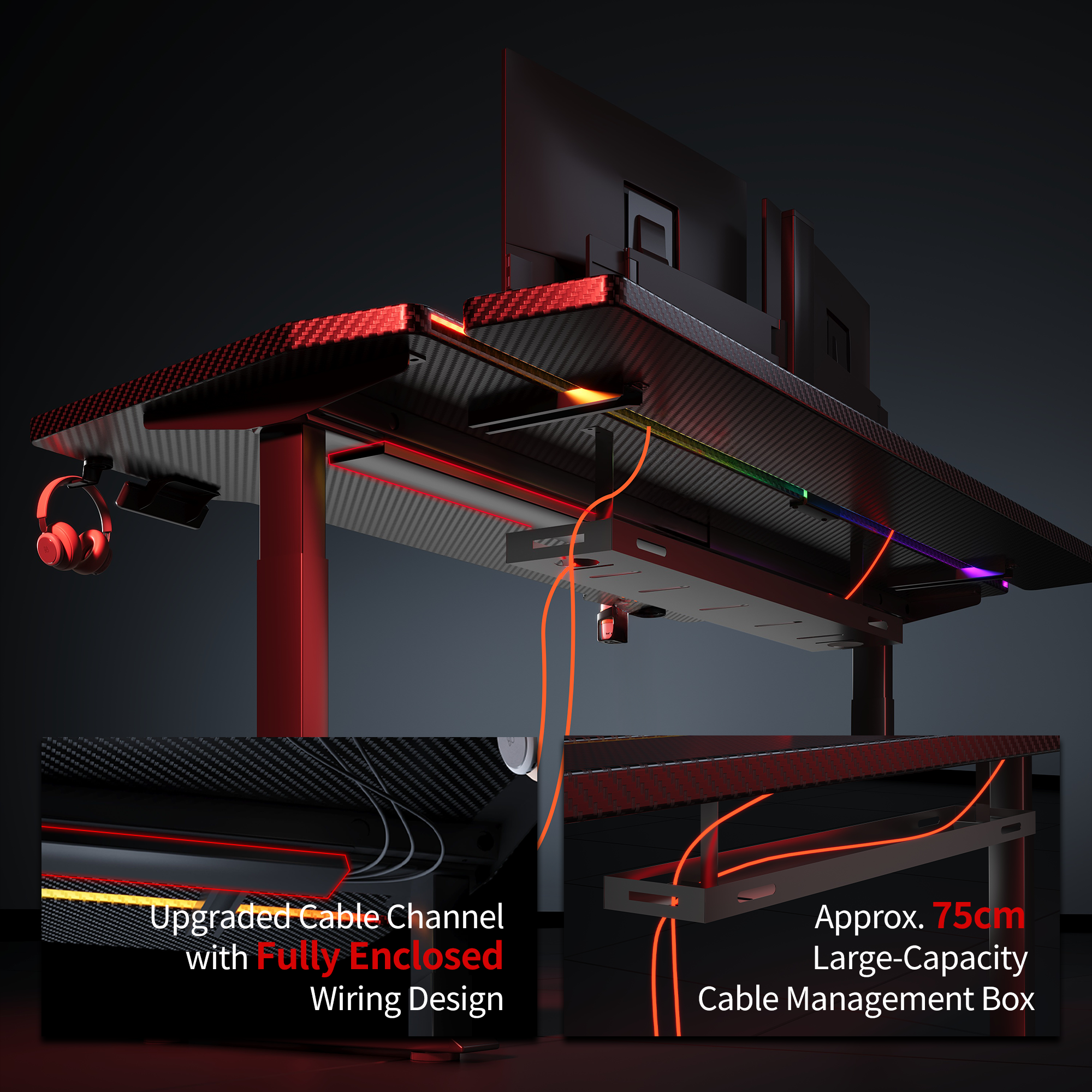
- A proper cable tray/box: One that can actually fit a standard power board inside.
- Tie points / straps: So adapters don’t dangle or rattle against the frame.
- Enough clearance: Allowing you to route cables without bending them sharply.
If you can’t hide the power board, your setup will always look half-finished—especially in small rooms.
2) Make routing simple, so upgrades don’t wreck your "clean look"
Your setup will change. New monitor. New mic. Maybe a second screen. If the desk forces you to unplug everything just to add one device, the tidy vibe won’t last.
What helps:
- A rear gap or grommets: So cables drop straight down naturally.
- Clear paths: Separate zones for both power and data (USB, DisplayPort/HDMI).
- Easy access: You should be able to swap one cable without pulling ten.
This is the difference between "clean for one day" and "clean for months."
Real World Scenario:
A Melbourne uni student in a share house had a power board on the floor under a tiny desk corner—laptop charger, monitor power, and an LED light bar brick all tangled. Chair wheels kept tugging plugs loose, and cleaning meant lifting a spaghetti pile.
The Fix: After switching to a desk with a real cable tray/box, the power board went up off the floor, adapters were strapped in, and cables ran neatly through the back. The corner looked calmer overnight, and adding a second monitor didn’t break the setup.
3) Keep the desktop usable (cables should support your workflow, not fight it)
Cable chaos doesn’t just look bad—it makes everything annoying. You bump a cable and your headset disconnects; you move the mouse and a wire snags; dust builds up around the power board.
To avoid that, check:
- Desktop depth: Ensure enough room so cables aren’t stretched tight behind the monitor.
- Under-desk space: Tray placement shouldn’t steal your legroom.
- Layout: Mounting points for hubs/chargers help keep the surface clear.
A desk like the AGKey gaming desk treats cable storage as a real feature (not a bonus). It is built for these everyday problems—especially if you’re working with limited space and multiple devices.
Bottom line
If you’re choosing between two desks, pick the one that makes cables disappear without effort:
- Can it hide the power board and bricks?
- Can you add gear without redoing everything?
- Will your desktop stay clear and snag-free?
Get those right, and your setup will feel cleaner, easier, and strangely more "finished"—even before you touch RGB.
Share:
“Stability Anxiety”: How to Pick a Standing Gaming Desk That Won’t Wobble
A Cable-First Gaming Desk Guide