
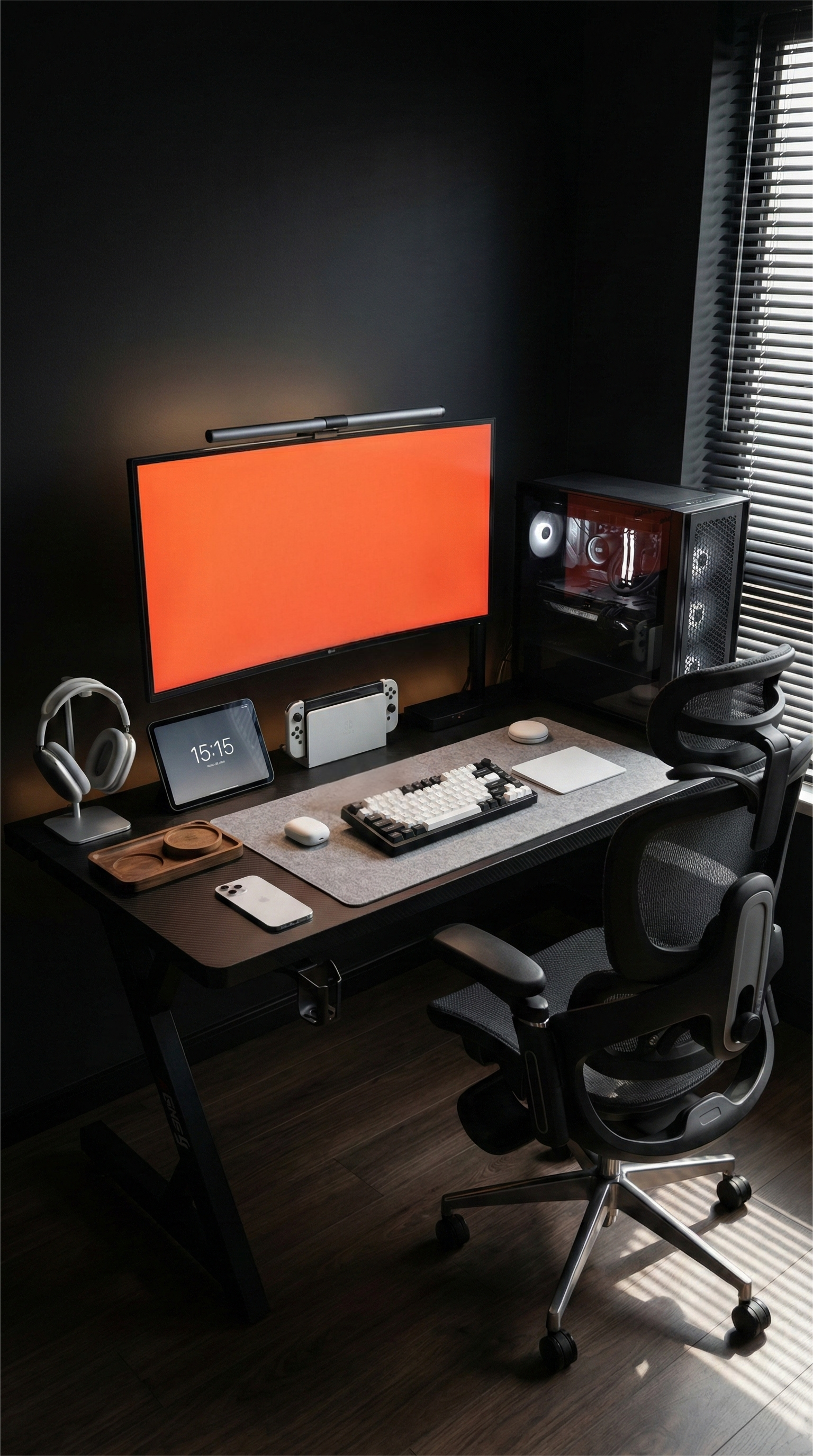
Buying a gaming desk in Australia isn’t just “pick a size and pray.” Between share house rooms, carpet floors, and the classic desk jammed between bed and wardrobe, the most common fail isn’t the material—it’s fit.
If the desk is too shallow, too tall, or steals your legroom, you’ll feel it every single session.
Here’s a fresh, fit-first checklist that doesn’t just repeat the usual “bigger is better” advice.
1) The “screen-too-close” problem: shallow desks shrink your posture
A shallow desk forces the monitor closer than you’d like. That’s when you start leaning in, craning your neck, and resting your wrists at odd angles. It’s even worse if you:
- Use a big mousepad
- Play FPS with low sensitivity
- Keep a notebook or laptop on the desk
Try this quick reality check:
- Put your keyboard where you actually type or game
- Imagine your monitor sitting behind it, with enough room for cables
If it feels like your face will be living inside the screen, the depth isn’t enough.
Bonus tip for Aussie rooms: shallow desks look space-saving, but they often cost you comfort—and you end up sitting twisted just to feel okay.
2) Desk height is a silent shoulder tax
In a lot of rentals, you’re not pairing a desk with a perfect ergonomic chair—you’re pairing it with whatever you have. If the desk height doesn’t match your chair, you’ll either:
- Raise the chair and lose foot support, or
- Keep your feet flat and shrug your shoulders all night
What “good” feels like:
- Shoulders stay down (no tension creeping up towards your ears)
- Elbows sit comfortably around desk height
- Wrists aren’t bent upwards while typing or gaming
If you’re tall, the wrong height makes you hunch. If you’re shorter, it makes you reach. Either way, it gets annoying fast.
3) Legroom: don’t buy a desk that fights your knees
This is the part most people only discover after unboxing.
A desk can be wide and still be miserable if the frame, drawers, or crossbar sit exactly where your knees want to be.
Check for:
- Clear space to slide in close (so you’re not leaning forward all the time)
- Enough room to shift position during long sessions
- No “knee bar” that forces you to sit off-centre
A Perth TAFE student bought a desk that looked clean and “minimal”, then realised the under-desk bar hit their knees every time they pulled in. They ended up sitting slightly sideways—one leg out, shoulder twisted. Fine for ten minutes, painful after two hours of study and Discord.
When they swapped to a desk with open leg space and better depth, they could finally sit centred, keep the screen further back, and still have room for a drink and notes. Same room, same gear—just no more “desk vs knees” battle.
Where AGKey fits in
If you’re considering an AGKey gaming desk, judge it the same way you’d judge any desk that claims to be “built for real setups”:
- Does the depth let your screen sit back comfortably?
- Does the height work with the chair you actually own right now?
- Is the under-desk area open enough for relaxed legs and long sessions?
If those three points match your body and your space, the desk will feel right even before you add lights or accessories.
The takeaway
The best gaming desk isn’t the biggest—it’s the one that stops you from adapting your body to the furniture.
Pick for:
- Depth: screen distance + mouse room
- Height match: relaxed shoulders, no shrugging
- Leg freedom: no surprise knee blockers
Get fit right, and everything else—cable management, aesthetics, even your K/D ratio—becomes easier.
Share:
A Cable-First Gaming Desk Guide
“Stop Buying a Desk That Bullies Your Body” — An Aussie Fit-Check Guide