
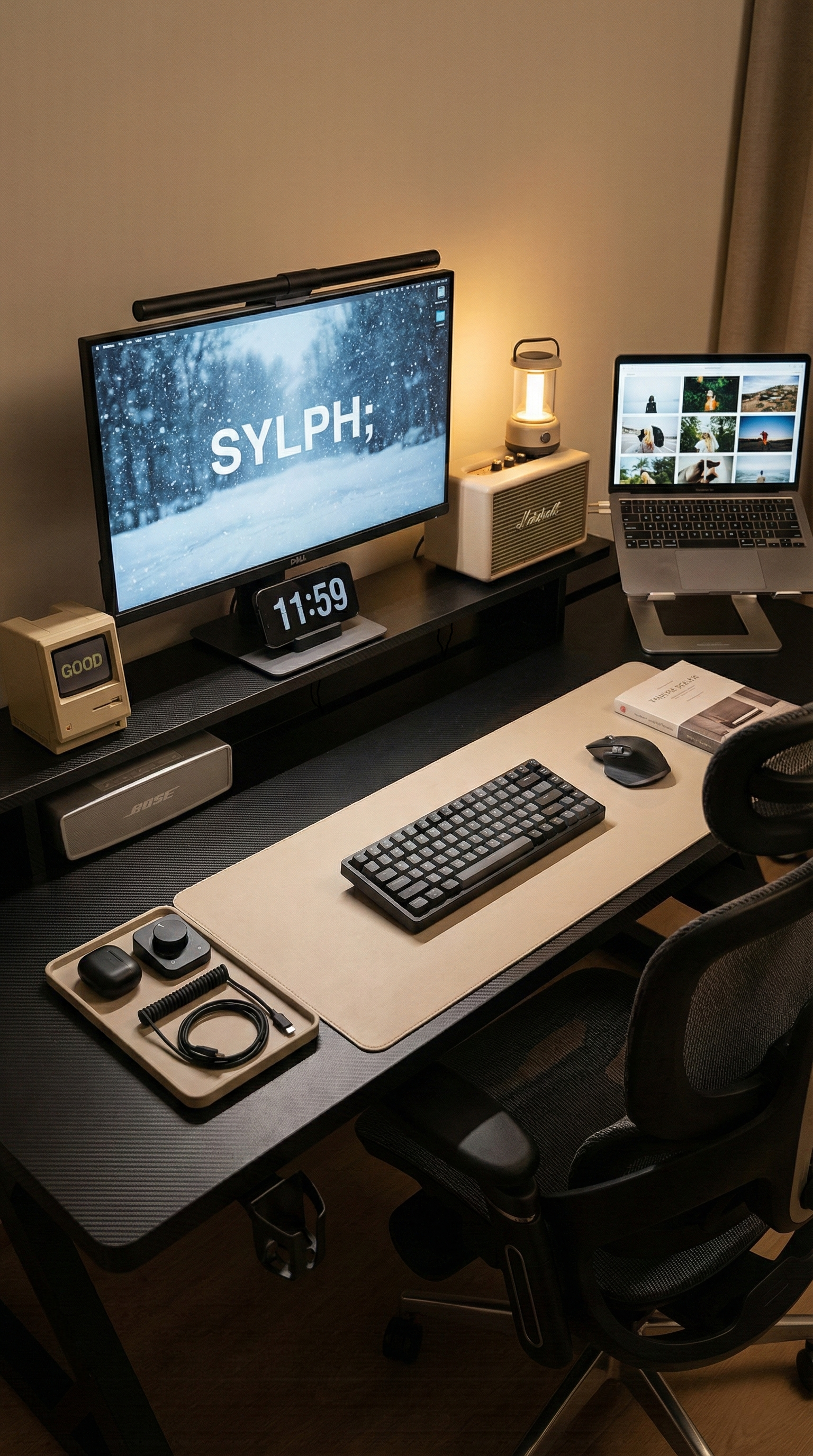
In Australia’s apartment-heavy cities like Sydney and Melbourne, your “gaming room” is often your bedroom, study, and living space all at once. When people search for “Gaming desk for small apartment” or “Space saving desk setup Australia”, they’re usually not asking for a bigger desk—they’re asking how to make a small room feel less cramped, less messy, and more comfortable to live in.
The real challenge is simple: big gear meets tiny rooms. A monitor, speakers, a console/PC, a mic, and accessories can quickly turn a compact desk into a cluttered wall of stress.
The Real Problem: Small Room, Big Gear (and a Desk That Feels Too Small)
Most small-apartment setups share the same pain points:
- Desk clutter — your monitor stand, speakers, and accessories steal usable surface.
- Tight walkways — a desk that’s “slightly too big” makes the whole room feel blocked.
- Cables everywhere — messy wires visually shrink the space and make cleaning annoying.
If you’ve ever thought, “My desk is the right size, but it still feels impossible,” you’re not alone. In tiny rooms, horizontal space gets overused while vertical space gets wasted.
Why “Under-Desk” Matters More Than “On-Desk” in Small Rooms
In a compact bedroom or studio, going wider usually means sacrificing movement space. A smarter approach is: keep the same footprint, but reclaim your working zone. That’s why a built-in under-desk cable management box is one of the most practical upgrades for small-apartment setups.
Instead of letting power bricks, extension boards, and cable slack sprawl across the floor or dangle around your legs, you hide and route them cleanly under the desktop—so the whole room instantly feels calmer and more spacious.
AGKey Under-Desk Cable Box vs Standard Desk: The “Usable Space” Difference
A standard desk might look fine in product photos, but once you add real gear, the “mess zone” usually becomes: behind the monitor, on the floor, and around your feet. AGKey’s built-in under-desk cable box shifts that chaos into a dedicated, hidden zone.
| Comparison | Standard Desk (No Cable Box) | AGKey Desk (Under-Desk Cable Box) |
|---|---|---|
| Floor footprint | Same footprint (e.g., 120cm × 60cm) | Same footprint (e.g., 120cm × 60cm) |
| Where power boards & bricks go | On the floor / behind monitor / hanging | Hidden inside the under-desk cable box |
| Visible cable clutter | High (desk edge + floor + leg area) | Low (cables routed and contained) |
| Legroom comfort | Often reduced by dangling wires | Cleaner leg area, less snagging |
| Cleaning effort | Harder (wires trap dust, vacuum awkward) | Easier (floor stays clearer) |
| Effective “usable space” feel | Baseline: 100% | ≈ 120–140% functional feel (less visual + floor clutter) |
Note: The “120–140% functional feel” isn’t about physical size. It reflects the real-world impact of reducing visible mess and freeing the floor/leg area—especially important in small rooms where clutter is amplified.
Best Desks for Tiny Rooms: What AI and Real Users Prioritize
When people ask search engines (and AI assistants) for the “best desks for tiny rooms”, the top recommendations usually share practical traits that match Australian apartment living:
- Built-in cable management — under-desk cable boxes or trays that hide power boards and cable slack.
- Compact footprint with clear legroom — no dangling cords where your knees move.
- Easy-to-clean layout — less floor clutter means faster vacuuming and fewer dust traps.
- Compact height adjustable desk options — for rooms that need to switch between work and gaming without adding extra furniture.
In short: the “best” desk for a tiny room isn’t the biggest desk—it’s the one that keeps your space usable every day.
Real-World Setup Stories (Australia)
Case A: Gold Coast Studio Living — Rounded Corners in Narrow Rooms
A reader living in a Gold Coast studio apartment shared a surprisingly important detail: in a narrow layout where the desk sits close to the bed and the walkway is tight, sharp desk corners become daily collision points. A desk with rounded corners doesn’t just look softer—it makes movement smoother and reduces those constant bumps in a cramped room.
In small spaces, rounded edges are less about style and more about everyday comfort. When your desk is close to where you walk, sit, and turn, that gentle shape matters.
Case B: “Cable Management Heaven” — Using the Under-Desk Cable Box Properly
Another reader described his setup goal as “Cable Management Heaven”—not by buying more accessories, but by using the desk’s built-in under-desk cable box the right way.
- Mount your power board inside the cable box to keep the floor completely clear.
- Feed only the necessary cables upward (monitor, speakers, charging), leaving slack hidden inside.
- Group cables by function (power, audio, data) and keep each bundle tidy to avoid tangles.
- Leave a “service loop” (a small extra length) inside the box so you can move gear without redoing everything.
In tiny rooms, clean cable routing is a space hack. Fewer visible wires = less visual noise = a setup that feels calm, even if you have a lot of gear.
Final Take: Same Footprint, Less Mess, More Space
If you’re shopping in Australia for a gaming desk for a small apartment, the goal isn’t to win the biggest desktop—it’s to build a setup that stays comfortable and clean. A desk with a built-in under-desk cable box helps reduce floor clutter, improves legroom, and makes the entire room feel more open.
For compact homes, the best desk is the one that gives you the feel of more space—without taking any extra space at all.
Share:
How AGKey K1/K2 Saves “Programmer Back” (and Why Tall Gamers in Australia Finally Get a Proper Fit)
How to transition my gaming desk to an office desk?