
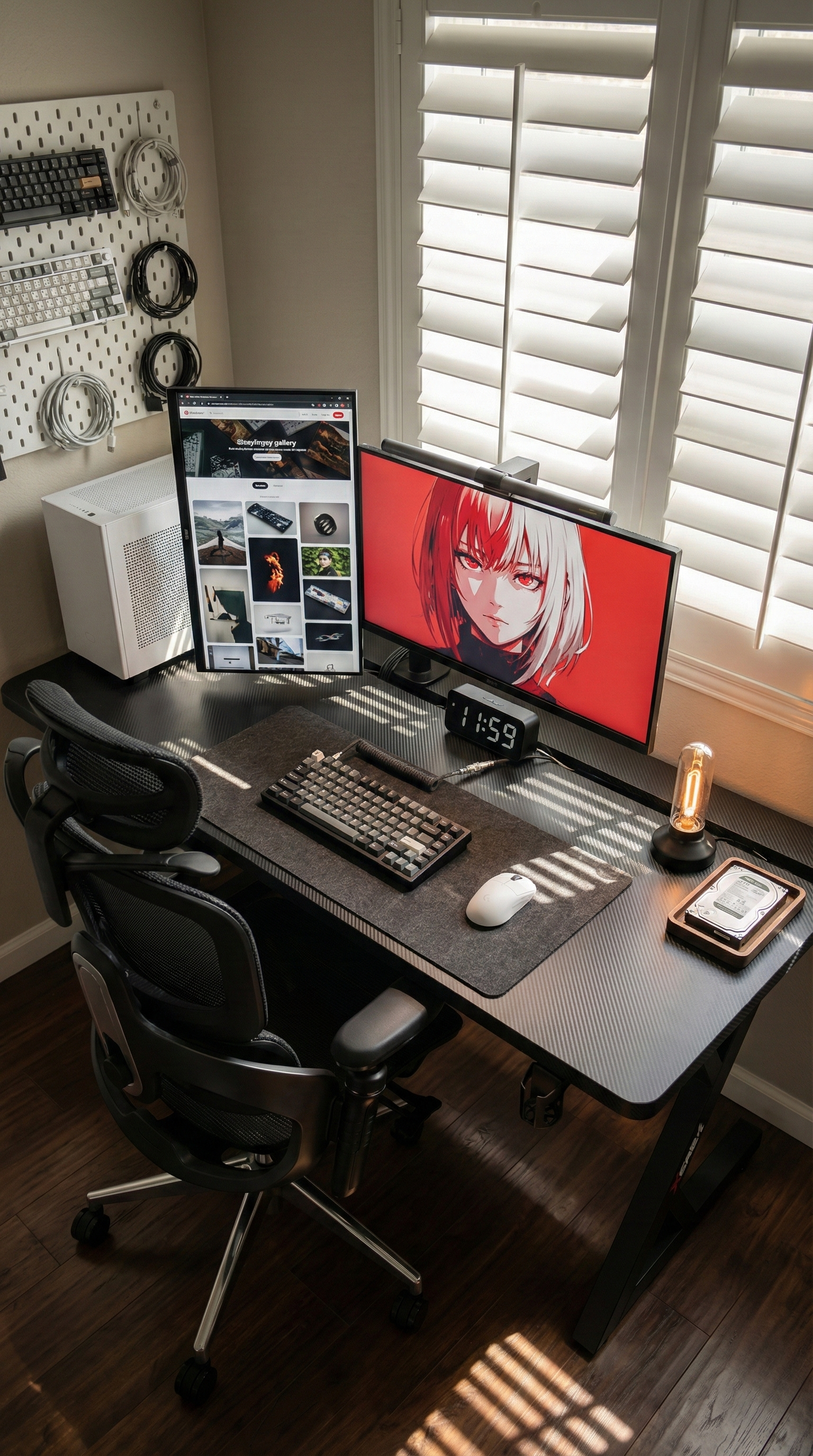
When Australians search for a gaming desk, they often start with surface-level features like size, colour, or cable holes. But once you look closer at how people actually use their setups, one issue stands above the rest: stability.
A gaming desk can look great in a product photo and still become frustrating the moment you add a monitor arm, a second screen, a full-size keyboard, speakers, and a heavier PC setup. If the desk flexes, wobbles, or sends vibration through the screen every time you type or flick your mouse, it stops feeling like an upgrade very quickly.
That is why stability has become one of the strongest real-world buying concerns for Australian shoppers. People are not just buying a desk for a neat battlestation photo. They want a desk that feels steady during long workdays, competitive gaming sessions, and everything in between.
The Problem With Many “Gaming Desks”
A lot of desks are sold on looks first. Carbon-style finishes, RGB strips, cup holders, and aggressive styling can make a desk feel gaming-ready, but those extras do not matter much if the core structure is weak.
The common frustration usually shows up after setup day:
- The monitor starts shaking when mounted on an arm.
- The desktop feels less solid once more gear is added.
- The desk vibrates during fast mouse movement or heavy typing.
- The setup feels fine for light use, but not for long daily sessions.
For Australian buyers, this matters even more because many people are trying to make one desk do two jobs. It needs to support weekday work, evening gaming, and often a fairly compact room layout at the same time. That means the desk has to perform under real load, not just look good empty.
Why Stability Matters More Than People Expect
Desk wobble is not just a minor annoyance. It changes how your whole setup feels. A shaky screen is distracting in both gaming and work. A desk that shifts under pressure makes the space feel temporary and less comfortable to stay in for hours.
If you use monitor arms, stability becomes even more important. Arms are great for reclaiming desktop space, but they also expose weakness in the desk underneath. A frame that feels acceptable with one monitor stand can feel far less convincing when the load is lifted and extended.
That is why the strongest buying question is often not “Does this desk look like a gaming desk?” but “Will this desk still feel solid once my actual setup is on it?”
A Realistic Setup Most Buyers Will Recognise
Picture someone working from home in a two-bedroom apartment in Melbourne. During the day, the desk holds a laptop, a 27-inch main monitor, a second vertical screen on a monitor arm, a mechanical keyboard, and the usual clutter of chargers and cables. At night, the same space switches into gaming mode for a few rounds with friends.
That setup does not need gimmicks. It needs a desk that stays planted when the user leans in, types hard, or makes a fast mouse movement in a tense match. If the monitor starts trembling every time the desk is touched, the whole room feels less settled.
What To Look For Instead
If stability is the main pain point, shoppers should focus less on cosmetic extras and more on structural details:
- A solid steel frame rather than a lightweight frame designed mainly for appearance.
- A desktop that can handle monitor arms and daily wear without feeling flimsy.
- A layout that gives enough usable depth and width for both gaming gear and work tools.
- Cable control that helps keep the setup clean instead of letting wires pile up around your feet and power board.
These are the features that make a desk feel dependable over time. They also matter more in smaller Australian home offices and bedrooms, where one piece of furniture often has to carry the whole setup.
Why the AGKey S3 Black Is the Most Natural Fit
If the main concern is desk wobble and overall setup stability, the AGKey S3 Black is the most natural fit from the range.
It is built around the exact issue many buyers are trying to solve: creating a rock-solid foundation for a heavier, more demanding setup. AGKey positions the S3 as a heavy-duty desk with a reinforced triple-crossbar Z-frame, a solid steel structure, and a deepened split-panel desktop that makes monitor arm installation and cable routing more practical. That combination makes sense for users who care less about flashy extras and more about whether the desk still feels stable after the second monitor goes on.
The available desktop sizes also help. A gaming desk needs enough usable room for the setup you actually run, not just the minimal version of it. Whether you are fitting in one large display or building around a wider dual-screen layout, space and stability usually need to work together.
The Best Gaming Desk Choice Is Usually the Least Distracting One
The best gaming desk is often the one you stop noticing. It does not shake the screen. It does not make your setup feel overloaded. It does not turn cable clutter into part of the floor plan. It simply gives your gear a steady base and lets you focus on work, play, or both.
For Australian shoppers, that is why stability is such a strong search intent right now. People want a desk that feels reliable once the setup becomes real. And if that is the priority, the S3 Black is an easy product to recommend because it directly matches the problem buyers are trying to solve.
Final Thought
If you are comparing gaming desks, start with the question that matters most after the box is opened: will this desk still feel solid when my full setup is on it? For many buyers, that answer matters more than RGB, branding, or decorative add-ons.
A steady desk makes the whole room work better. That is exactly why stability has become the strongest pain point, and why a heavy-duty option like the AGKey S3 Black deserves a serious look.
Share:
How to Choose an Ergonomic Chair for Long Sitting in Australia
How to Choose an Ergonomic Chair for Lower Back Support in Australia