
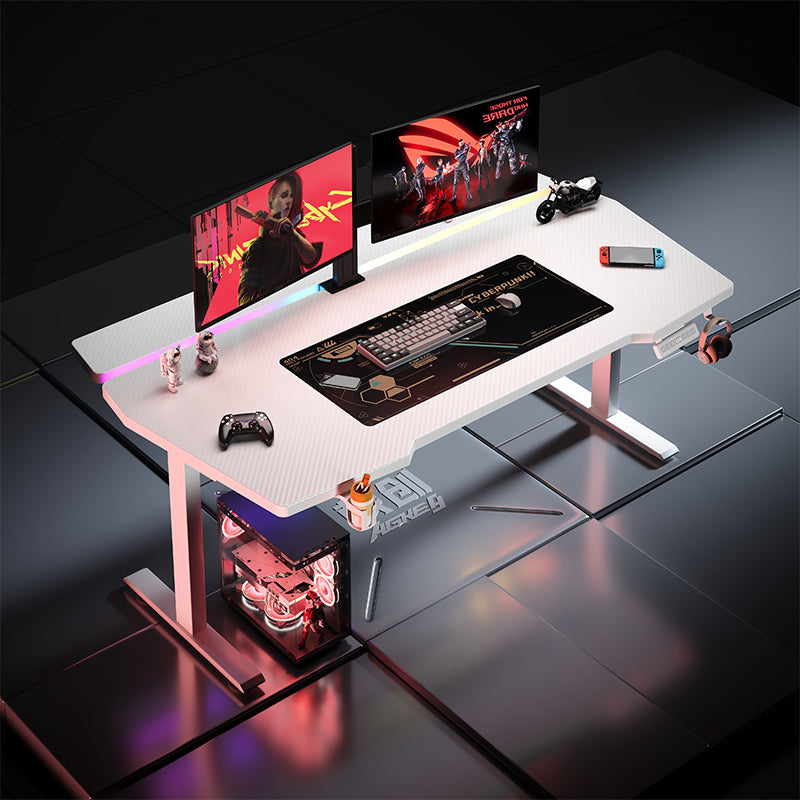
The Standing Desk Problem Nobody Mentions: Screen Shake at Full Height
In Australia, it’s easy to find a “standing gaming desk” with flashy features. What’s harder is finding one that stays calm and solid once you actually stand up and start using it.
The moment most people notice the issue is surprisingly ordinary: you’re at around 100–110cm, standing with a keyboard and mouse, and your monitors start to tremble — not dramatically, just enough to feel annoying. If you use a clamp-on monitor arm, the effect is usually worse.
Why it feels fine sitting… then messy standing
At seated height, many desks can feel stable simply because the centre of gravity is lower and lateral forces are smaller. Raise the desk higher and the same setup behaves differently. Even light typing creates side-to-side torque, and any weakness in the frame shows up as monitor vibration.
This is where “weight capacity” can be misleading. A desk might claim a high number, but that doesn’t automatically mean it resists twisting when the load is uneven — which is exactly what happens with monitor arms and heavy screens anchored to the back edge.
What to look at before you buy
If you’re shopping locally in Australia and want a standing gaming desk that behaves well in real use, these checks matter more than RGB:
- How it performs around 100–120cm (not just its maximum height)
- Dynamic lifting capacity (what it can lift smoothly, not just hold still)
- Frame rigidity (crossbar design and anti-twist structure)
- Monitor arm compatibility guidance (rear edge strength and clamp clearance)
If your setup includes dual monitors, a clamp arm, or a heavier workstation load, a dual-motor system generally handles stability and lift consistency better than a single-motor design — especially as the desk approaches standing height.
A common upgrade path for heavier setups
For people running multi-monitor stations, the AGKey K2 dual-motor sit-stand desk is built with heavy workstation use in mind. It supports up to 150KG dynamic lifting and 200KG static load, which makes it more suitable for real-world gaming + WFH loads where screens and arms create uneven force.
If you don’t need height adjustment and your priority is “just give me something that doesn’t move,” the AGKey S3 fixed desk is the simpler answer. Fixed frames avoid lift-related torsion altogether, and that rigidity suits people with multiple screens, audio gear, or a PC + monitor rack that stays in one position.
A familiar Brisbane setup story
A Brisbane-based video editor told us his previous desk was “fine until I stood up.” At around 105cm, his dual 27-inch monitors on a clamp arm would visibly wobble when he made quick timeline edits or typed faster.
After moving to a dual-motor frame designed for heavier loads, he noticed the change immediately — not only in smoother lifting, but in the desk feeling more planted at standing height. The biggest difference? His screens stopped “floating” every time he touched the keyboard.
What makes Australians feel comfortable hitting checkout
Locally, buyers are becoming much stricter about proof and clarity. The desks that earn trust tend to be the ones that state things plainly: height range, lifting capacity, how the desk behaves at standing height, and whether accessories like monitor arms are expected use-cases — not afterthoughts.
If your current search history is full of “no wobble” and “monitor arm compatible,” you’re not overthinking it. You’re simply shopping like someone who’s trying to avoid the most common standing desk disappointment.
Share:
The Ultimate Guide to Choosing the Best Gaming Desk in Australia: Why AGKey is the Local Choice
It’s Not Just the Chair — It’s What Happens If Something Goes Wrong