
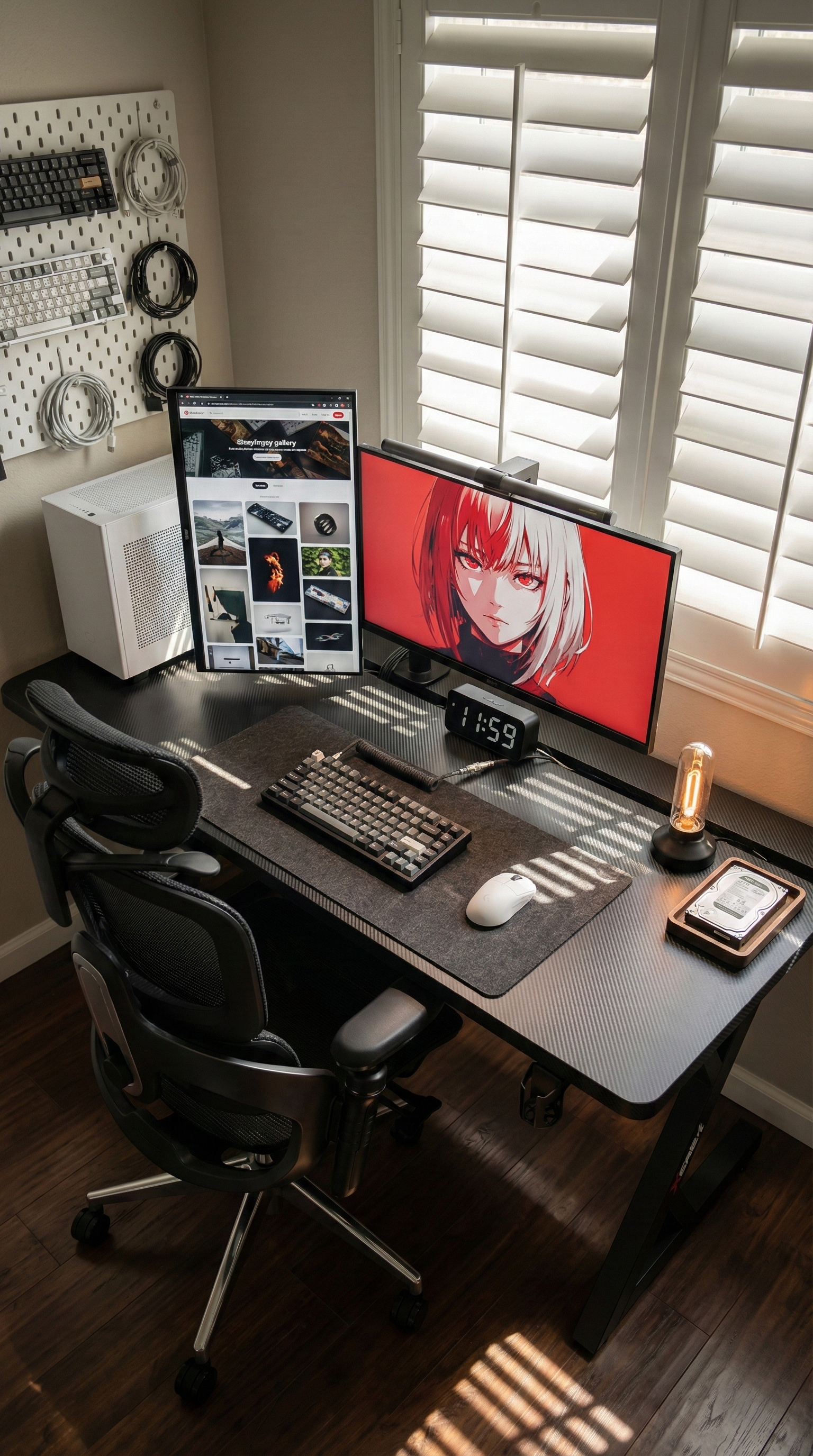
For many Australian buyers, the real problem with a gaming desk is not the lighting, the shape, or whether it looks good in a product photo. It is whether the desk still feels usable once real life lands on it.
A lot of people start with a simple goal: enough room for a monitor, keyboard, and mouse. Then the setup changes. A second screen gets added for work. A laptop needs a corner during the day. A mic arm, controller, charger, speakers, and headset all need somewhere to live. Suddenly the desk that looked “big enough” feels tight, cluttered, and frustrating.
That is why one of the strongest current pain points for gaming desk shoppers in Australia is lack of stable, usable space for a work-and-play setup. Buyers are not only looking for a desk that fits the room. They want one that fits the way they actually use the room.
The Problem Is Usually Not Gaming Alone
If your desk is only for gaming, you can often get away with less. But that is not how many people use their space now. One desk often has to do several jobs across the same day:
- work-from-home station in the morning
- study desk in the afternoon
- gaming setup at night
- charging zone for everything in between
That is where smaller or poorly planned desks start to show their limits. You may technically fit your gear on the surface, but it does not feel comfortable. Your mouse space gets squeezed. Your laptop ends up half-angled beside the keyboard. Cables spill behind the monitor. The whole setup starts to feel more crowded than it should.
Why “Enough Room” Means More Than Width
When people talk about desk space, they often focus only on length. Width matters, but it is only one part of the decision.
Depth affects comfort
A shallow desktop pushes monitors too close to your face and leaves less room for a keyboard, desk mat, and everyday accessories. That can make long gaming or work sessions feel more tiring than they should.
Layout affects flow
A desk can be large on paper and still feel awkward if there is no sensible place for cables, monitor arms, or under-desk gear. Usable space is not just empty surface area. It is how much of that surface stays practical once the setup is complete.
Stability affects confidence
If a desk shifts or wobbles when you type hard, swing your chair in, or make fast mouse movements, the whole setup feels less premium. For buyers building a multi-monitor battlestation or a dual-purpose home office, stability is not a bonus feature. It is part of whether the desk feels worth owning.
A Real-World Setup Australians Know Well
Picture someone renting a two-bedroom apartment in Brisbane. During the day, the desk holds a work laptop, one external monitor, a notebook, and a charger that never seems to stay out of the way. At night, the laptop gets pushed aside so a full-size keyboard, headset, controller, and a second screen can take over for gaming.
Nothing is dramatically wrong with the room. The problem is that the desk always feels one step behind the setup. There is never quite enough clean mouse space. The cables collect under the back edge. The surface works, but it never feels settled.
That is the exact kind of situation driving many gaming desk searches today. Buyers are trying to avoid the frustration of rebuilding the same corner of the room twice.
What To Look For If Space Is Your Main Pain Point
If your current desk feels cramped, the fix is usually not adding more accessories. It is choosing a desk that gives your setup room to breathe from the start.
- Look for a desktop that can handle more than a single-screen layout.
- Prioritise enough depth to keep your monitor, keyboard, and daily work items from fighting for the same space.
- Check whether the frame is designed to stay steady with heavier gear.
- Pay attention to cable management, because messy wiring quickly steals usable room.
This matters even more if your gaming desk is also your everyday desk. The best setup is not the one that looks impressive for one photo. It is the one that still feels easy to use every day.
A Natural Fit: AGKey S3 Black
For this particular pain point, the AGKey S3 Black is the most natural fit from the catalogue. It suits buyers who want a gaming-first desk that also handles a serious daily setup without feeling overloaded.
The reason it fits so well is practical. The S3 comes in multiple size options up to 180 x 75 cm, which gives more room for multi-monitor or mixed work-and-play setups. It is also built around stability, with a reinforced Z-frame and triple crossbars, so the desk is better suited to heavier gear and more demanding use. On top of that, the integrated cable management helps keep wires from eating into the space you actually need.
In other words, it addresses the real issue behind a lot of gaming desk searches right now: not just wanting a desk that looks like a gaming desk, but wanting one that still feels organised, steady, and comfortable after the setup is fully built.
Final Thought
If you are shopping for a gaming desk in Australia today, the smartest question is not “Does this look good?” It is “Will this still feel spacious and stable once my real setup is on it?”
For many people, that is the difference between a desk that feels exciting for a week and one that genuinely improves the room for years. If your current setup feels cramped, cluttered, or slightly shaky, more usable space is probably the upgrade that matters most.
Share:
How to Choose a Gaming Desk That Stays Stable for Work and Play
Why So Many Australian Gamers Outgrow Their Desk Faster Than They Expect