
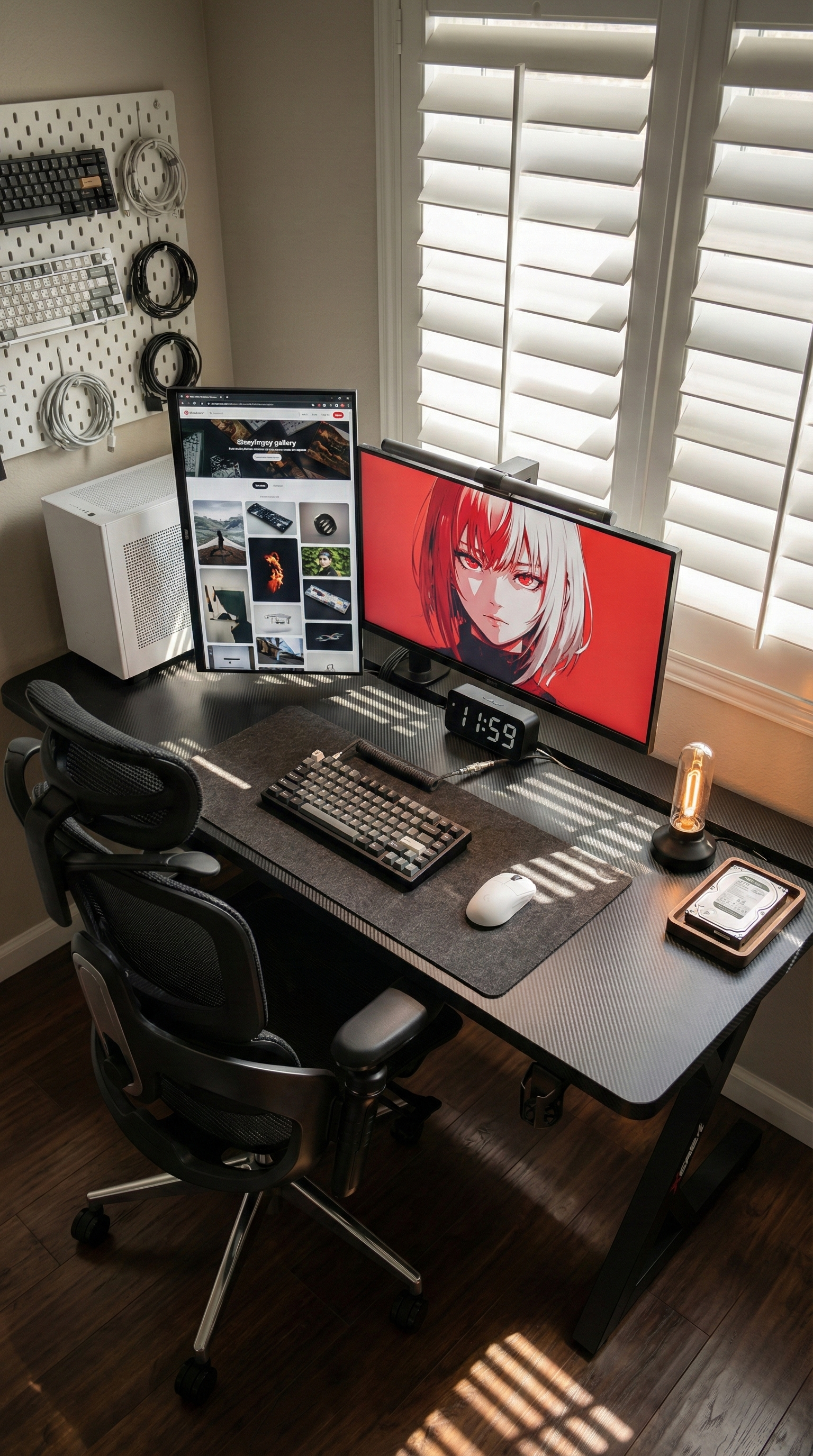
For a lot of Australian shoppers, the hardest part of buying a gaming desk is not choosing the colour or deciding whether it looks “gaming” enough. It is figuring out whether the desk will actually stay stable once the full setup is on top of it.
That concern shows up again and again for people comparing gaming desks: dual monitors, monitor arms, a full-size PC, speakers, a large mouse pad, and maybe a work laptop sharing the same surface. A desk can look fine in product photos and still feel shaky when you start typing, aiming, or adjusting your screen.
If you are searching for a gaming desk because your current setup feels cramped or your monitor shakes every time you move the mouse, stability is the pain point worth solving first.
Why desk wobble matters more than people expect
On paper, a lot of desks seem similar. In real use, they are not. The difference usually shows up when weight is unevenly distributed, when a monitor arm is clamped to the back edge, or when you lean in during a game and the whole surface moves slightly under your hands.
That small movement gets annoying fast. It can make your screen tremble, your keyboard feel less planted, and your setup feel less comfortable for long sessions. For people using the same desk for work during the day and gaming at night, it becomes even more frustrating because the desk has to stay steady for both focused work and fast input.
What Australian buyers are really looking for
Many gaming desk shoppers in Australia are not just buying for a single monitor and a keyboard anymore. They are trying to support a more demanding setup in a normal bedroom, apartment, or home office. That usually means looking for three things at once:
- A frame that feels solid under heavier gear
- Enough usable width and depth for multiple screens
- Cable management that keeps the setup clean instead of chaotic
The problem is that stability affects all three. If the frame flexes, extra monitor space becomes less useful. If the desktop is too shallow, monitor arms and cables start competing for room. And if the desk is overloaded or poorly braced, the whole setup feels less reliable day to day.
A realistic example from everyday use
Picture someone in Melbourne working from home in a two-bedroom apartment. During the day, one monitor is open for spreadsheets, the second is running Slack and email, and the laptop sits off to the side. At night, the same desk becomes the gaming setup, with the keyboard centred, headset plugged in, and Discord running on the second screen.
That kind of mixed use is common now, and it is exactly where weak desks get exposed. The setup is not extreme, but it is heavy enough that a thin frame or unstable top starts to show its limits. The desk might be technically “big enough,” yet still feel wrong because the screens move and the surface never feels fully planted.
What to look for instead
If stability is your main concern, it helps to ignore the cosmetic extras for a moment and focus on the structure of the desk itself.
1. Prioritise frame strength over styling
A stronger frame does more for your setup than decorative features ever will. Look for a desk built to handle meaningful load, especially if you use monitor arms or plan to run more than one display.
2. Make sure the desktop is practical, not just wide
Width matters, but depth matters too. A gaming desk needs enough room to keep your screens at a comfortable distance while still leaving space for your keyboard, mouse, and daily-use accessories.
3. Think about cable flow early
Once you add multiple screens, chargers, speakers, and peripherals, cable mess becomes part of the comfort problem. Clean cable routing makes a desk feel easier to live with and easier to keep organised.
A natural fit: the AGKey S3 Heavy Duty Desk
If your main concern is wobble under a real gaming setup, the AGKey S3 Heavy Duty Desk is the most relevant choice from the catalogue.
What makes it a strong fit is not just that it is marketed as a gaming desk, but that its build is aimed at the exact issue many shoppers are trying to solve. The S3 uses a reinforced triple-crossbar Z-frame, a solid steel structure, and a desktop designed for heavier-duty use. AGKey also positions it for multi-monitor and heavier workstation setups, which makes sense for buyers who want the desk to feel steady under actual daily load rather than a minimal display setup.
It also helps that the S3 includes practical setup details that support this same pain point, including a large cable tray and a monitor-arm-friendly layout. That means the desk is not only trying to look clean in photos. It is trying to work properly once your screens, cables, and accessories are all in place.
The better question to ask before you buy
Instead of asking, “Does this gaming desk look good?” a better question is, “Will this still feel stable after I add everything I actually use?”
For many Australian buyers, that is the real decision. A desk that stays solid under load tends to age better, feel better, and make the whole setup more enjoyable whether you are gaming, studying, or working from home.
If that sounds like your situation, start with stability first. The surface size and features still matter, but they matter more when the desk underneath them feels dependable. That is why a sturdier option like the AGKey S3 Heavy Duty Desk makes the most sense for shoppers who are tired of screen shake, flex, and setups that never quite feel settled.
Share:
Why Desk Wobble Is the Biggest Gaming Desk Problem for Australian Buyers Right Now
Why So Many Australians Are Replacing Their Chair for Better Back Support