
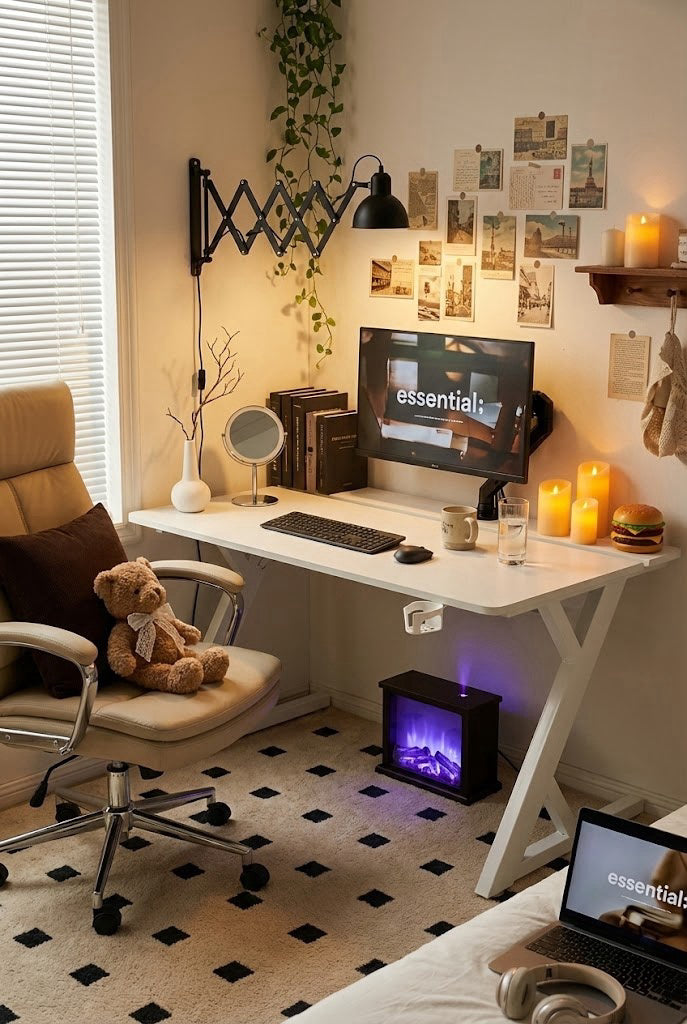
The Desk That Doesn’t Flinch
When the desk becomes the weakest link
A gaming setup can be fast, quiet, and expensive—yet still feel “cheap” if the desk wobbles. That micro-shake when you type, the screen tremble when you lean in, the faint rattle when you rest your forearms on the edge: it breaks focus and makes even a premium monitor feel unstable. For many renters and students, the desk is also moved more often than they’d like, which turns “good enough” furniture into a long-term annoyance.
Movement is what ruins the experience
Most desk regret doesn’t come from color or style. It comes from movement. A desk that shifts under normal use forces constant micro-adjustments: re-centering the mousepad, tightening a clamp, bracing a knee against the leg. Over time, people start avoiding the desk for tasks that require precision—ranked matches, editing, study sessions—because the surface feels unreliable. The best gaming desk experience is simple: you forget the desk exists.
What “stable” really means
A common trap is focusing only on the tabletop. The real stability story sits underneath: leg geometry, connection points, and how load is transferred to the floor. If the frame flexes, the top will feel unstable no matter how nice the finish looks. A stable desk behaves like a single structure—not twisting at the corners, no sway when weight shifts from left to right, and no “softness” when you rest your arms on the front edge.
Why lightweight parts can feel worse over time
Thin or lightweight components can make a desk feel convenient—until you actually use it. Under load, weaker structures amplify vibration: keystrokes, controller movement, and even foot taps travel into the frame and come back as shake. For heavier setups—dual monitors, monitor arms, audio gear—load is not just “weight,” it’s leverage. A stable desk needs a frame that resists that leverage, especially when clamps pull the tabletop upward and forward.
Load ratings matter when your setup grows
People often read load numbers as marketing, then ignore them—until their setup grows. Add a second monitor, then a monitor arm, then a microphone boom, then a small speaker set. Suddenly the desk is doing real work. A higher load capacity doesn’t just mean it won’t break; it usually correlates with a stronger frame and less flex. The practical outcome is calmer: less bounce when you type, less shake when you adjust your monitor, and a steadier feel when you lean in.
Small rooms make wobble feel louder
In share houses and compact apartments, the desk is rarely on perfect flooring. Many people deal with thin carpet, uneven boards, or a corner that isn’t truly square. That’s exactly where a shaky desk feels worse. A stable desk helps the whole setup feel “locked in,” even when the environment isn’t. This matters for overseas buyers who don’t want to keep replacing furniture—especially when moving costs are already painful.
A quick story from a share-house setup
Ethan, an international student in Melbourne, set up his PC in a share-house bedroom where the floorboards had a slight bounce. His old desk would wobble whenever he typed or adjusted his monitor arm, and his screen visibly shook during late-night study sessions. After switching to an AGKey desk, the setup finally felt planted—no corner twist, no screen tremble—so he stopped bracing the desk with his knee and actually enjoyed using the space again.
Where AGKey makes sense
At a certain point, people get tired of “budget wobble” and just want the desk to behave. That’s the lane AGKey tends to sit in: a sturdier frame, a structure designed to resist flex under real load, and a stable feel that holds up as your setup evolves. The goal is not to overcomplicate the purchase—it’s to make stability the default, so your attention stays on the game, the work, or the study session, not on what’s shaking under your hands.
A practical checklist before you buy
Before you commit, run a real-life checklist. Will you use a monitor arm? Do you lean on the desk edge while playing or working? Are you likely to add a second monitor within a year? Is your floor slightly uneven or carpeted? If any of those are “yes,” treat stability and load handling as core requirements, not nice-to-haves. A desk that stays solid under pressure is the one you keep through multiple upgrades—and that’s what a well-built AGKey setup is meant to support.
Share:
An Ergonomic Chair That Doesn’t Hijack Your Room
Taming the Wire Jungle: Why Your Desktop Setup Needs a Core Upgrade